One official answer per RFI
Collect internal comments and verified external supplier replies in one thread, then let a project manager designate one official answer with clear cost and schedule impact.
Read RFI documentationStop managing RFIs and submittals in disconnected email threads and spreadsheets. TraceWorks links every request for information and supplier package directly to the source requirement, specification revision, and change order.
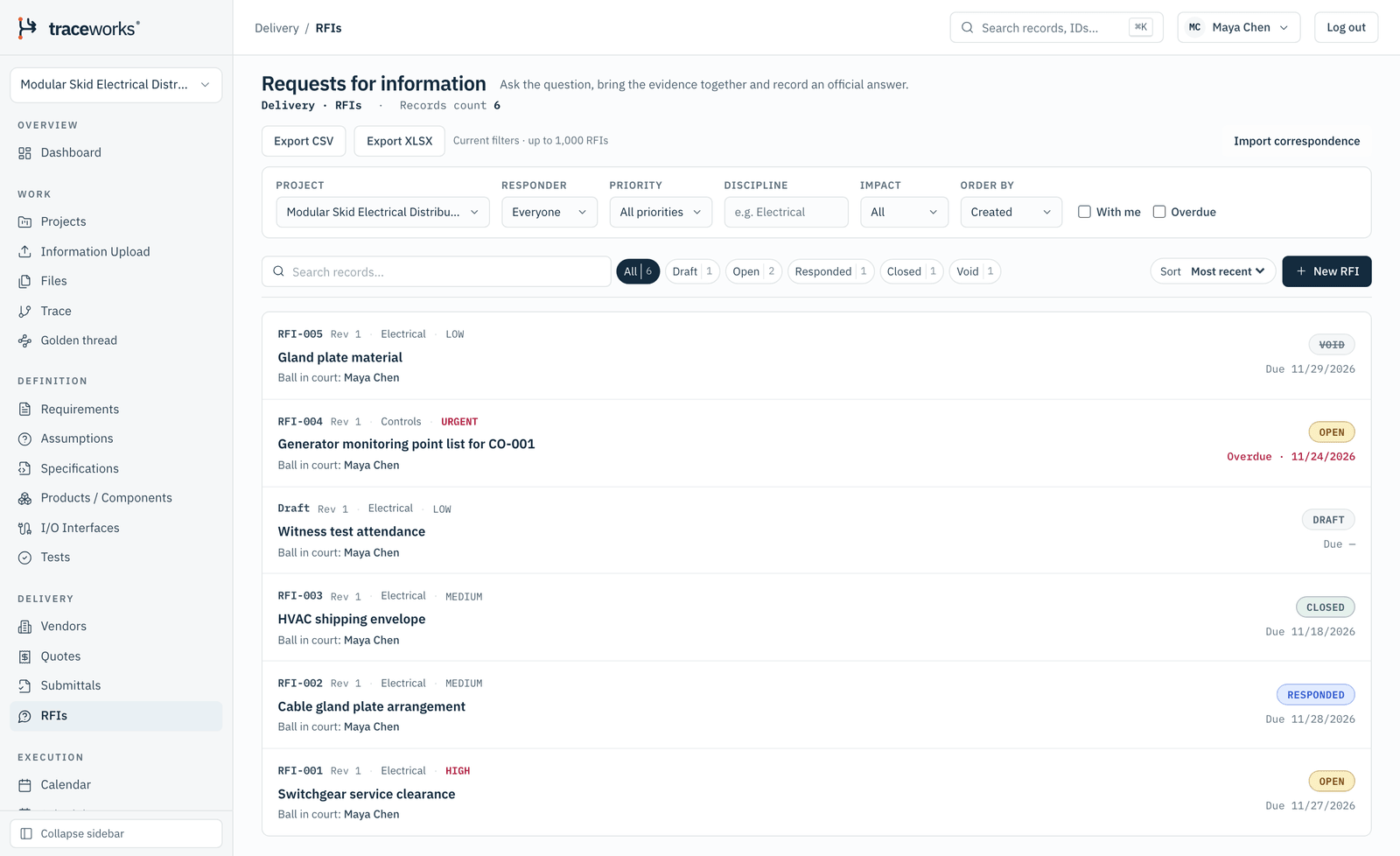
Live TraceWorks RFI register: filter by project, responder, priority, discipline, and status with one-click CSV and XLSX register exports.
Assign one responsible owner to each RFI, collect external replies via verified email links, select an official answer, and promote technical impacts straight into a change request or change order. Verify supplier submittal PDFs page by page against your approved baseline.
Sample workflow: every external answer, submittal check, and receipt confirmation stays tied to the revision.
Collect internal comments and verified external supplier replies in one thread, then let a project manager designate one official answer with clear cost and schedule impact.
Read RFI documentationUpload vendor PDFs up to 100 MB and 300 pages to compare extracted values against approved requirements and specifications—with reviewers confirming every finding.
Read submittal review docsDraft RFI responses grounded in your indexed specifications, requirements, and prior RFIs. Untrusted attachments are isolated against prompt injection and people always review before sharing.
Explore human-reviewed AIIssue submittal PDFs and ISO 19650 transmittals with personal receipt links that record the recipient, exact revision, document hash, and confirmation timestamp.
Explore external sharingWhen a vendor resubmits a drawing or an RFI changes a design parameter, TraceWorks preserves earlier revisions, comments, and receipt confirmations alongside the active baseline.
Start with a pre-populated engineering sandbox or book a walkthrough using your team’s RFI log and submittal workflow.